As an Amazon Associate, we earn from qualifying purchases. Some links on this site are affiliate links at no extra cost to you. Our recommendations are based on thorough research and editorial judgment.

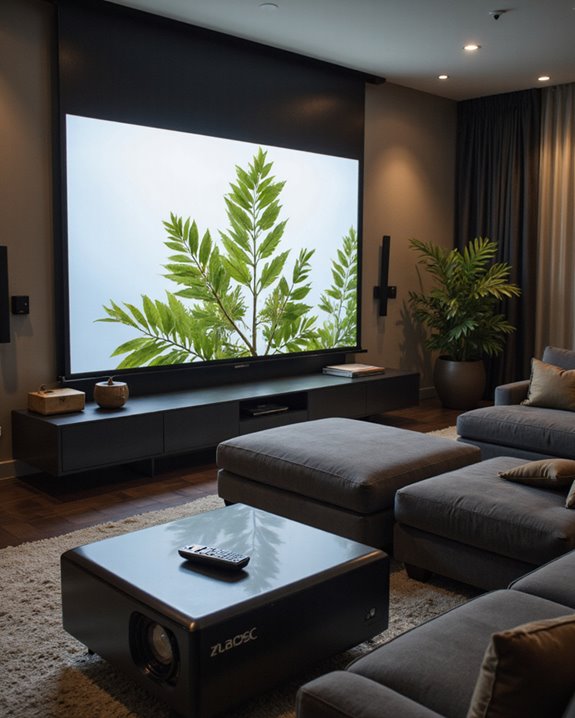
What Does 4K Support Mean on a Projector?

4K support on a projector means it can display ultra-high-definition images at about 3840 x 2160 pixels—a total of over eight million pixels—which results in clearer detail and sharper visuals than Full HD (1920 x 1080). “4K support” may refer to either true native 4K hardware or a simulated effect using pixel-shifting technology. Key features often include precise color accuracy, high brightness, and modern connectivity like HDMI 2.0. More distinctions and practical tips follow.
Key Takeaways
- 4K support on a projector means it can display or process ultra-high-definition images with a resolution of approximately 3840 x 2160 pixels.
- Some projectors offer true 4K with native 8.3 million pixel chips, while others simulate 4K using pixel-shifting technology.
- 4K support enables sharper, more detailed, and lifelike images, enhancing clarity and immersion for movies, games, and presentations.
- Projectors with 4K support often include HDMI 2.0 inputs to handle high-bandwidth 4K video sources smoothly.
- 4K support may also involve compatibility with HDR content and wide color gamuts, improving color accuracy and contrast.
Understanding 4K Resolution in Projectors
You may be interested
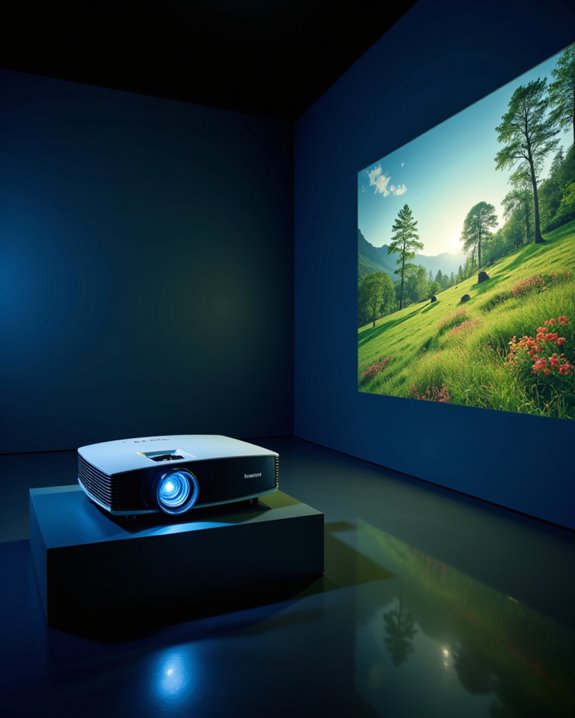
A 4K projector is designed to display images at a resolution of about 3840 x 2160 pixels, which equals roughly 8.3 million pixels on the screen. This ultra-high definition (UHD) format offers enhanced sharpness and clarity over older standards like 1080p. Historically, 4K began in commercial cinema with DCI 4K (4096 x 2160 pixels), later adapted for home use. Native 4K projectors feature imaging chips with true 3840 x 2160 resolution, while some brands use pixel-shifting to simulate 4K from 1080p panels. Major brand comparisons reveal differences in light source—LED, laser, or traditional lamp—and color technology, such as 3LCD versus DLP. Key specifications include brightness (from 2400 to 30,000 lumens), advanced color processing, and broad connectivity options. Some high-end projectors, such as the brightest DLP cinema projector with 4K resolution, can deliver up to 33,000 lumens, making them suitable for very large venues like auditoriums with screens up to 105 feet wide. Additionally, the native 4K resolution ensures the highest image fidelity without relying on image processing techniques.
Differences Between Consumer and Professional 4K
When comparing consumer and professional 4K projectors, resolution and image quality stand out as primary differences. Professional 4K projectors use native 4K panels, meaning they display about eight million distinct pixels without simulation. In contrast, many consumer models rely on upscaled 4K, often using pixel shifting—moving 1080p pixels rapidly to mimic higher resolution. This native vs. upscaled approach leads to differences in detail and sharpness. Additionally, native 4K panels typically provide sharper images with better color fidelity compared to upscaled models. In addition, true 4K projectors are becoming more affordable and accessible, making high-resolution experiences more available to home users. Further distinctions include: – Professional projectors deliver better color accuracy and support industry standards, making them ideal for studios and design work. – Consumer models focus on immersive home viewing, balancing cost and performance. There is also a clear price disparity, with professional projectors costing much more due to advanced components, precise color processing, and durability.
Display Technologies Behind 4K Projectors
How do 4K projectors create such sharp, detailed images? The answer lies in their display technologies, especially pixel shifting and DLP chips. Digital Light Processing (DLP) chips use tiny mirrors to reflect light, forming images. Many 4K projectors use pixel shifting technology, which means a lower-resolution DLP chip quickly shifts each pixel’s position, creating the effect of 8.3 million unique pixels—matching true 4K resolution. Native 4K projectors, by contrast, have chips with a real 3840×2160 grid, displaying each pixel directly. Advanced display technologies further enhance image clarity and detail. Key points include: – Pixel shifting offers a cost-effective way to achieve 4K detail. – XPR modules enhance pixel shifting by rapidly moving pixels. – Technologies like Single Step Processing reduce latency. – Some systems, like 4K-Enhancement, offer only partial 4K due to hardware limits. – Thanks to True 4K DLP technology, projectors can generate the full 8.3 million pixel count required for genuine 4K images, resulting in noticeably sharper and more realistic picture quality.
Recommended Products
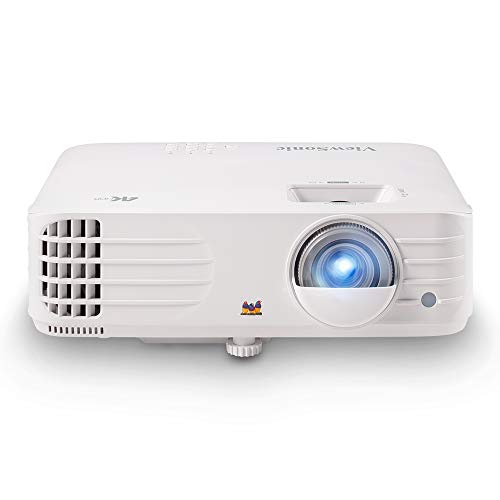
True 4K UHD Home Theater Projector: Elevate your viewing with stunning 4K (3840x2160p) resolution and 3,200 ANSI lumens; perfect for delivering sharp, detailed images in gaming dens and media rooms with ambient light
![[Officially-Licensed App & Auto Focus]White Smart Mini Projector with WiFi and Bluetooth, XuanPad 4K Support Movie Projector, Portable Native 1080P Outdoor Projector with 360° Stand](https://m.media-amazon.com/images/I/51I8uy-U8bL._SL500_.jpg)
Exciting Moments Begin - The XuanPad mini projector compatible with Netflix for the ultimate viewing experience.No extra devices or complicated setup needed—just enjoy instant access to a vast library of movies with immersive, smart TV-like quality.XuanPad smart projectors are compatible with a variety of built-in apps like YouTube and Prime Video, and support for wireless screen mirroring and HDMI. Whether it's movie night, a gaming session, or camping, our licensed projectors can meet your customized entertainment needs.
![Outdoor-Projector-4K [VIDAA Live TV/40W Dolby/920 ISO] with WiFi6 and Bluetooth Compatible with Netflix, Smart Projector, AI Voice Control & Auto Focus, HDR10, Movie Proyector for Ceiling Home Theater](https://m.media-amazon.com/images/I/51R8227Xr5L._SL500_.jpg)
【2026 No.1 Fast VIDAA OS | Cloud Storage & Data Security】The upgraded X9 PRO 4k projector builds on the classic X9 proyector with superior speakers, higher brightness, and the exclusive VIDAA OS—designed to feel like a smart TV but perform even smoother. Unlike standard Android or Google TV projectors, VIDAA stays fast and stable over months of heavy use, with zero lag. It includes cloud storage to keep local memory free, and no data tracking, no targeted ads, and no personal collection. Kids mode with enhanced privacy protection. Whether at home, camping, or watching live sports, you get a secure, distraction‑free cinema experience every time
Brightness and Color Accuracy in 4K Projection
Why do brightness and color accuracy matter so much in 4K projectors? High brightness, measured in ANSI lumens, ensures 4K images remain clear and vibrant, even when ambient light—light already present in the room—could otherwise wash out the picture. For home theaters in dark rooms, 1,000 lumens may be enough, but well-lit spaces need projectors with at least 2,500 lumens for maximum visibility and color fidelity. Color fidelity, or the projector’s ability to reproduce accurate colors, is enhanced by technologies like HDR (High Dynamic Range) and wide color gamuts such as Rec. 2020. Key factors include:
- Brightness levels matched to room and screen size
- Advanced color accuracy features for lifelike images
- Dynamic range to maintain detail in both bright and dark scenes
When choosing a 4K projector, it’s important to remember that not all lumens are equal; ANSI lumens provide a standardized measurement of usable brightness, giving you a more accurate idea of real-world performance compared to lamp lumens alone.
Connectivity and Compatibility Features
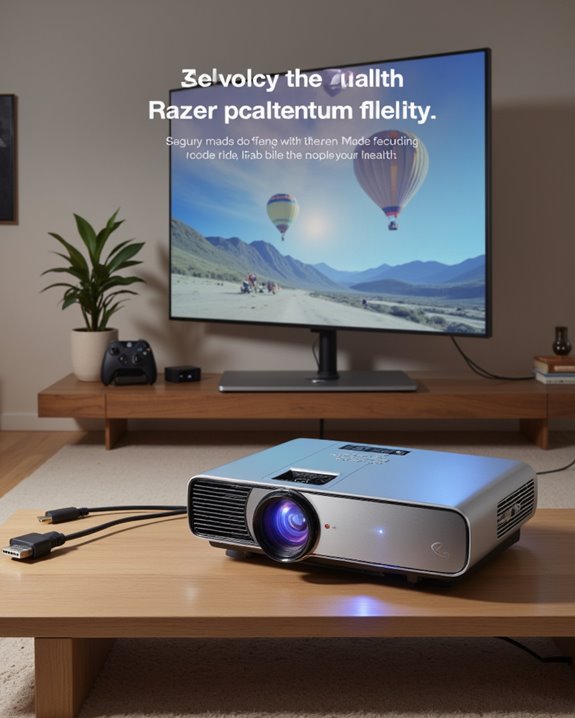
A 4K projector’s connectivity and compatibility features are essential for delivering high-quality visuals and flexible integration with modern devices. Most models include multiple HDMI 2.0 inputs, supporting fast data transfer for true 4K content. USB ports allow easy connection to storage devices or streaming sticks, expanding media options. Wireless streaming, achieved through Wi-Fi or Bluetooth, lets users project content and audio without cables. USB C compatibility enables direct streaming from smartphones or laptops, often providing power delivery as well. Many advanced 4K projectors also offer LAN control and 12V trigger integration, allowing them to easily connect with home automation or smart systems for enhanced convenience and automated setups. Key features include:
- Built-in smart systems for direct app access
- AirPlay and casting support for wireless mirroring
- Compatibility with various devices, such as gaming consoles and PCs
- Professional control through RS-232C, LAN, or API integration
These features maximize flexibility and ensure seamless media experiences.
Recommended Products

【The Latest WIFI 6 Technology And Bluetooth 5.3】This projector with Wi-Fi and Bluetooth is equipped with the latest Wi-Fi 6 technology, compatible with Wi-Fi 6, 5G and 2.4G, offering faster connection speed and stronger stability, eliminating buffering and disconnection issues, and ensuring smoother online content playback. Additionally, it is fitted with the latest Bluetooth 5.3 chip, allowing for easy connection to Bluetooth speakers, headphones or other Bluetooth audio devices, providing a more efficient and stable transmission channel, and enabling users to enjoy higher audio quality with ease

【Advanced Wireless Connectivity】: Features WiFi and Bluetooth for reliable video streaming and audio transmission; supports AirPlay for iPhone and Miracast for Android devices for convenient wireless screen sharing

【Smart Projectror with Built-in Apps】This projector does more than simply mirror videos and images from your external devices. Preloaded with mainstream streaming apps, it lets you directly access YouTube, Prime Video and more without an extra streaming TV stick. What's more, the MAYPUG mini projector comes with a built-in TV Store, enabling you to conveniently download your favorite additional streaming applications.
Enhanced Image Quality: Contrast, HDR, and Motion
When evaluating a 4K projector’s image quality, three main factors stand out: contrast, HDR, and motion handling. A higher resolution means four times the pixels of 1080p, leading to sharper images and more intricate details. Contrast ratio measures the difference between the brightest and darkest parts of an image. A high contrast ratio, especially with HDR (High Dynamic Range), results in deeper blacks, brighter whites, and more realistic shadows. HDR also expands color and brightness ranges for lifelike visuals. Advanced features such as Dolby Vision can further enhance image quality by providing improved highlight and shadow detail for a more cinematic experience. Motion handling is essential for fast action scenes or gaming. Features like motion smoothing reduce blur and make movement appear smoother. Color calibration—adjusting the projector’s color settings—ensures accurate, vibrant colors. Together, these features create a visually immersive, true-to-life viewing experience with 4K projectors.
Installation and Setup Considerations
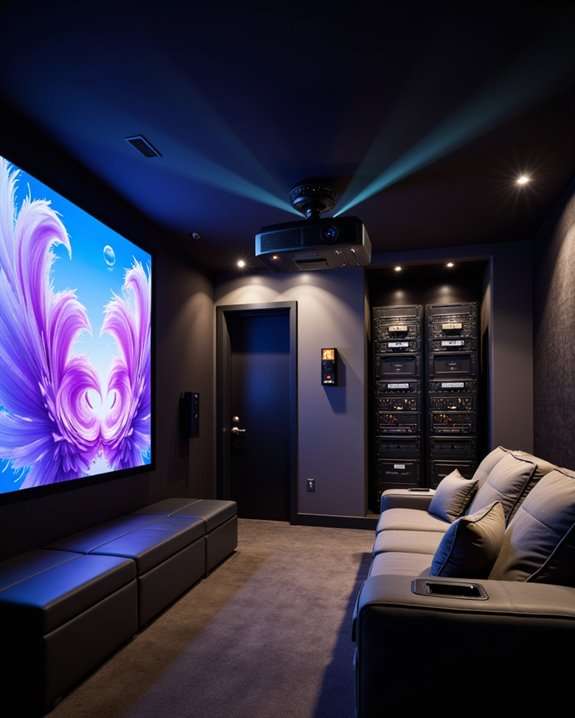
Proper installation and setup are key to experiencing the full benefits of a 4K projector’s advanced image quality. Mounting techniques matter; securely fixing the projector to the ceiling with a drill, screwdriver, and stud finder guarantees stability and prevents image misalignment. An adjustable mount allows precise horizontal and vertical alignment, which is critical for sharp and even projections. Use a level and measuring tape to confirm correct placement and throw distance—the space between the projector and the screen—matching the projector’s specifications for best results.
Cable management, the organized routing and concealment of HDMI and power cables, reduces clutter and improves safety. Plan for cable runs to nearby outlets and media sources, using cable covers as needed. Additionally, control room lighting and position furniture to minimize glare and distractions. For optimal performance and longevity, ensure adequate ventilation by leaving enough clearance around the projector and verifying that built-in fans have unobstructed airflow.
Recommended Products

Universal Compatibility: Fits most projectors (Note: Length <13.7'', Width <8.6'') with standard mounting interfaces. Projector Wall Mount supports a maximum load of 10kg/22LBS, suitable for home, office, cinema and other scenarios, and is compatible with mainstream device sizes, no compatibility concerns
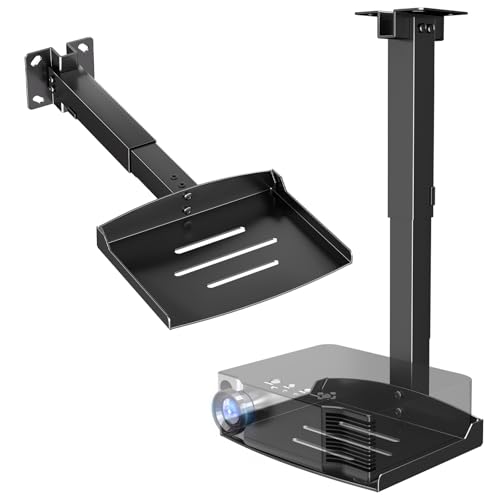
Versatile Application: PUTORSEN projector ceiling mount is compatible with most manual or spectrum projector screens, Also can be used to hold a video camera, laptop, or other electronic device. The metal 11.02” x 8.27” tray holds up to 22 lbs of weight

Fits projectors with 1/4 inch thread (or M4 or M6), and weight under 30lbs (13.6kg). Note: Only for single-hole installation. Not suitable for three-hole or four-hole installations.
Maintenance, Durability, and Environmental Ratings
Maintaining a 4K projector involves routine care, attention to durability, and understanding environmental ratings—factors that directly influence performance and lifespan. Effective maintenance tips include regular cleaning with a damp cloth, avoiding harsh chemicals, and ensuring proper ventilation to prevent overheating. Projector filters trap dust and should be checked and cleaned regularly to maintain proper airflow. Checking cable connections and calibrating the image are essential for consistent quality. Durability considerations highlight the need for careful handling, storage in dry environments, and lamp life management to avoid premature failure. Environmental ratings, such as IP codes, indicate protection against dust and moisture; these ratings, along with certifications like Energy Star, confirm energy efficiency and eco-friendly design. Adhering to manufacturer guidelines for temperature and humidity, as well as installing software updates, further supports reliable operation and long-term use.
Recommended Products

Litance Replacement Projector Air Filter for Epson: ELPAF32 / V13H134A32

Hoesthic Professional replacement projector filters, compatible with the following models:CB-X27 CB-955W CB-955WH CB-965 CB-965H CB-E10 CB-E01E CB-X06 CB-W06 CB-X06E CB-FH06 CB-X51 CB-W52 CB-S03 CB-X03 CB-W03 CB-S03+ CB-W15 CB-X17 CB-99W CB-S18 CB-X18 CB-X20 CB-X21 CB-X22 CB-X24 CB-X25 CB-S31 CB-X31 CB-X31E CB-X36 CB-X41 CB-S41 CB-X49 CB-X05 CB-X05E CB-W05 CB-U05 CB-S05E CB-S04 CB-S04E CB-U04 CB-X04 CB-X39 CB-TZ2000 CB-X29 CB-X30 CB-97 CB-97H CB-98H CB-945 CB-950W CB-U42 CB-W42 CB-X140 CB-W140 CB-U140 CH-TW470C CH-TW490C CH-TW495 CH-TW570 CH-TW750 CH-TW5200 CH-TW5210 CH-TW5300 CH-TW5350 .

Professional Air Filter for Sony Projector Replacement: 3-875-777-01 387577701 / 3-875-777-02 387577702 / 8541713260 / 8541713261 filter, fits in below projector model perfectly!
Popular Applications for 4K Projectors
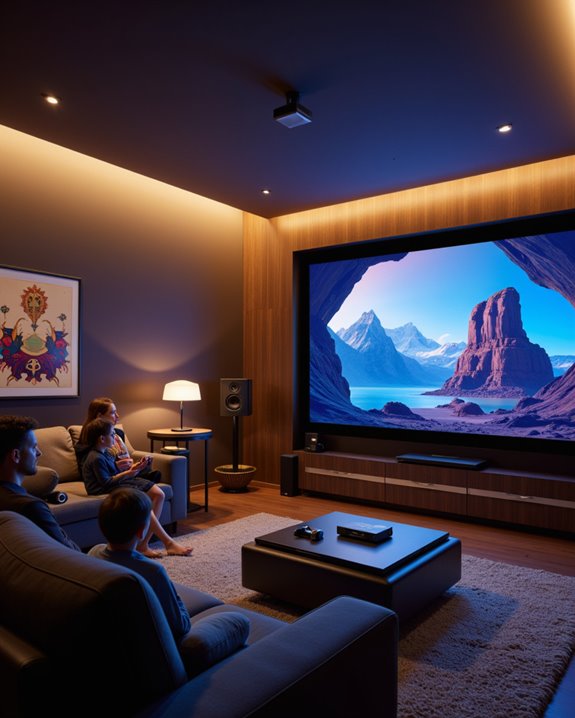
4K projectors are widely used across residential, commercial, and industrial environments because they deliver ultra-high-definition (UHD) images with a resolution of 3840 x 2160 pixels. Their most popular applications include:
- Home theaters, where viewers experience immersive movies with vivid color calibration, ensuring accurate and lifelike visuals.
- Conference rooms and classrooms, where the projectors support high-quality presentations and detailed educational content.
- Industrial settings, such as automotive design and architecture visualization, where precise imaging is essential.
In digital cinema, theme parks, and museums, 4K projectors create engaging experiences through high brightness and contrast ratios. Key projection technologies such as DLP, LCD, and LCOS are used to achieve these high-resolution images, supporting the diverse needs of users across different sectors. Power management features help reduce energy consumption, making them practical for long-term use in public and professional venues. Manufacturers such as Sony and Christie Digital lead the market, emphasizing advanced connectivity and portability.
Recommended Products

[ Built-in Official Licensed Google TV ] - Without additional equipment, the smart projector can directly access Netflix, Prime Video, YouTube, Hulu, and other applications. It greatly reduces the complexity of operation and makes watching movies more convenient

[BUILT-IN OFFICIAL GOOGLE TV OS WITH 10,000+ STREAMING APPS] Skip messy cords and pricey external TV dongles; this smart projector comes preloaded with licensed Google TV, granting instant access to Netflix, Prime Video, YouTube and thousands more streaming platforms; stream daily family shows without hooking up extra devices.
![[Built-in Apps/4K Support] Smart Outdoor Projector with WiFi and Bluetooth, Movie Projector, DoIby Audio with Dual Speaker, Auto Focus w/ YouTube&PrimeVideo Proyector, Upgrad P62 Pro](https://m.media-amazon.com/images/I/51H3v1q5xyL._SL500_.jpg)
[Upgraded Classic – P62 Pro Movie Projector] Building on the reliability and low return rate of the classic P62, the P62 Pro compatible with Prime Video, YouTube, and other popular smart apps built in. Unlike some other projectors that may use refurbished parts, we insist on using brand-new DDR components. This commitment ensures stable performance and long-lasting reliability you can count on.
Frequently Asked Questions
Do 4K Projectors Consume More Electricity Than Lower-Resolution Models?
4K projectors generally exhibit higher power consumption than lower-resolution models due to increased resolution and brightness demands. However, advances in energy efficiency and power-saving technologies help mitigate electricity usage, especially in newer and more advanced projector designs.
How Long Does a 4K Projector’S Light Source Typically Last?
Light source lifespan for 4K projectors varies by technology: lamp-based models last 2,000–5,000 hours, LED 15,000–30,000 hours, and laser 20,000–30,000 hours. Regular projector maintenance can help maximize longevity across all types.
Are 4K Projectors Safe for Children’S Eyes During Prolonged Viewing?
The safety of 4K projectors for children’s vision depends on proper use. Eye safety improves with adjustable brightness, blue light reduction, and maintaining distance; however, limiting prolonged viewing and encouraging breaks remain essential to protect children’s developing eyes.
Can I Use a 4K Projector Outdoors Effectively?
Studies show outdoor projector use increases by 30% during summer months. Outdoor visibility depends on brightness—over 4000 lumens is ideal. Weather resistance is essential; models with durable, weatherproof features guarantee reliable performance for 4K projectors outdoors.
How Noisy Are 4K Projectors Compared to Standard Models?
Noise levels and fan sound on 4K projectors are generally comparable to standard models, typically ranging from 20 to 40 dB. Advanced technologies and efficient cooling systems can further reduce audible noise, enhancing viewing comfort in quiet environments.